Use JTCRPA
Easily Scrape Any Website
Intelligently simulates human behavior with visual configuration. Turn any web page into structured data in minutes — no coding required.
Who Uses JTCRPA? — Trusted by Thousands of Professionals!
Over 20,000+ data professionals and developers have chosen JTCRPA to power their data tasks.










JTCRPA: Web Automation & Data Extraction Tool - Browser Extension
Visual Data Selection & Extraction
Say goodbye to complex code! Point and click for visual, no-code data extraction.
Auto-Pagination
Intelligently detects pagination buttons and automatically navigates pages for seamless batch data collection.
Multiple Export Formats
Export with one click to Excel, CSV, or JSON. Ready for your analysis instantly.
Lightweight & Ready to Use
No complex setup required. Plug and play with a lightweight design that won't slow down your browser.
Simple & Beginner-Friendly
Intuitive workflow that even beginners can master quickly.
Data Security & Privacy
All data is processed locally. Nothing is uploaded to third-party servers, ensuring maximum data security.
Typical Use Cases & Extractable Data
Here are the types of websites users commonly scrape with JTCRPA and the key data points available:
E-Commerce (e.g. Taobao, JD.com)
Extractable Data: Product names, prices, sales volumes, reviews, store info, SKU attributes, product images
Social Media (e.g. Xiaohongshu, Weibo)
Extractable Data: Post content, publish time, likes, comments, shares, author info, comment details
Job Boards (e.g. BOSS Zhipin, Lagou)
Extractable Data: Job titles, salary ranges, company names, experience requirements, education requirements, HR contact info
Real Estate (e.g. Lianjia, Beike)
Extractable Data: Listing titles, total/unit price, floor plans, floor level, building area, community name, agent info
Travel Platforms (e.g. Ctrip, Fliggy)
Extractable Data: Hotel names, room prices, availability, user ratings, flight schedules, ticket prices, attraction tickets
Business Info & News (e.g. Qichacha)
Extractable Data: Company names, legal representatives, registered capital, contact numbers, article titles, publish dates, content
Key Feature Differences
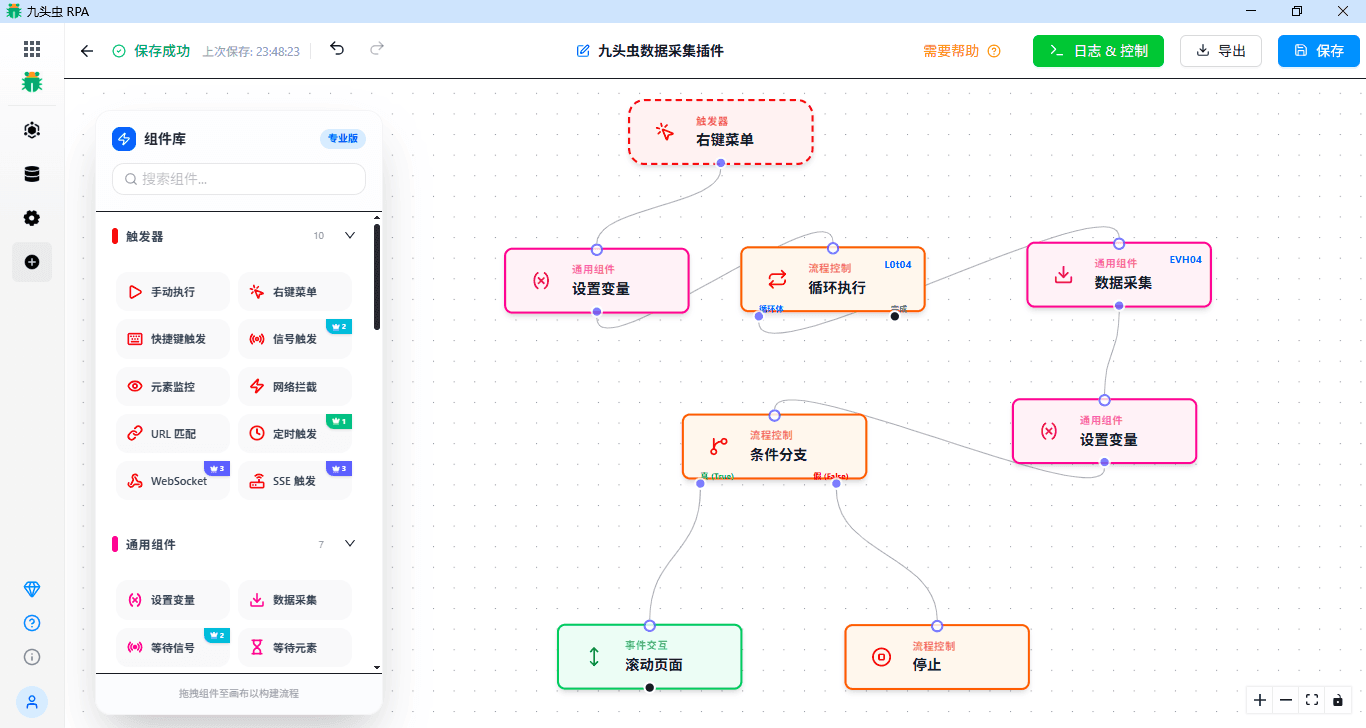
The table below lists RPA workflow features and components. JTCRPA Agent does not use them — its membership differences come down to scheduled tasks and data export.
AI Credits
- Gift points on signupFreeVIP 31,900 points
Core Limits
- Max Rows Per ExportFree500 rowsVIP 3Unlimited
Triggers
- Manual Execution / Context MenuFreeVIP 3
- Hotkey Trigger / Element MonitorFreeVIP 3
- URL Matching / Network InterceptionFreeVIP 3
- Scheduled TriggerFreeVIP 3
- Signal TriggerFreeVIP 3
- WebSocket / SSE TriggerFreeVIP 3
Common Components
- Set Variable / Print / Read FileFreeVIP 3
- Data Scraping / Wait ElementFreeVIP 3
- Wait SignalFreeVIP 3
- Execute Code (Custom Script)FreeVIP 3
Process Control
- Merge / Loop / Delay / PauseFreeVIP 3
- Call Workflow / Stop / Continue / Skip / Break / ReturnFreeVIP 3
- Conditional Branch / SwitchFreeVIP 3
- Send SignalFreeVIP 3
Browser Control
- Open/Close/Switch Windows & TabsFreeVIP 3
- Switch iframe / Navigate & RefreshFreeVIP 3
- Replace PageFreeVIP 3
- Show Notification / Handle DialogsFreeVIP 3
- Page ScreenshotFreeVIP 3
Event Interaction
- Click/Hover/Keypress/Select/CheckFreeVIP 3
- Scroll / Type / Submit FormFreeVIP 3
- Trigger EventFreeVIP 3
- Upload File / Download FileFreeVIP 3
- Read Clipboard / Write ClipboardFreeVIP 3
Network Components
- Wait HTTP / Send HTTPFreeVIP 3
Export Data
- Export Formats: Excel/Txt/JSON/CSVFreeVIP 3
User Feedback: Hear What They Say
“JTCRPA has completely transformed our data scraping workflow. It's incredibly reliable and saves us massive amounts of time!”

“Before, massive amounts of data had to be manually copied and pasted — time-consuming and error-prone. With JTCRPA, we've finally eliminated repetitive work and data collection is fast and accurate!”

“We used JTCRPA for market trend research. The real-time data it provided helped us make critical business decisions.”